
Placeholder — someone dragging a batch of photos into the Rotatr library on a laptop
Load
Securely connect your photo libraries or upload curated collections directly to your private Rotatr vault.
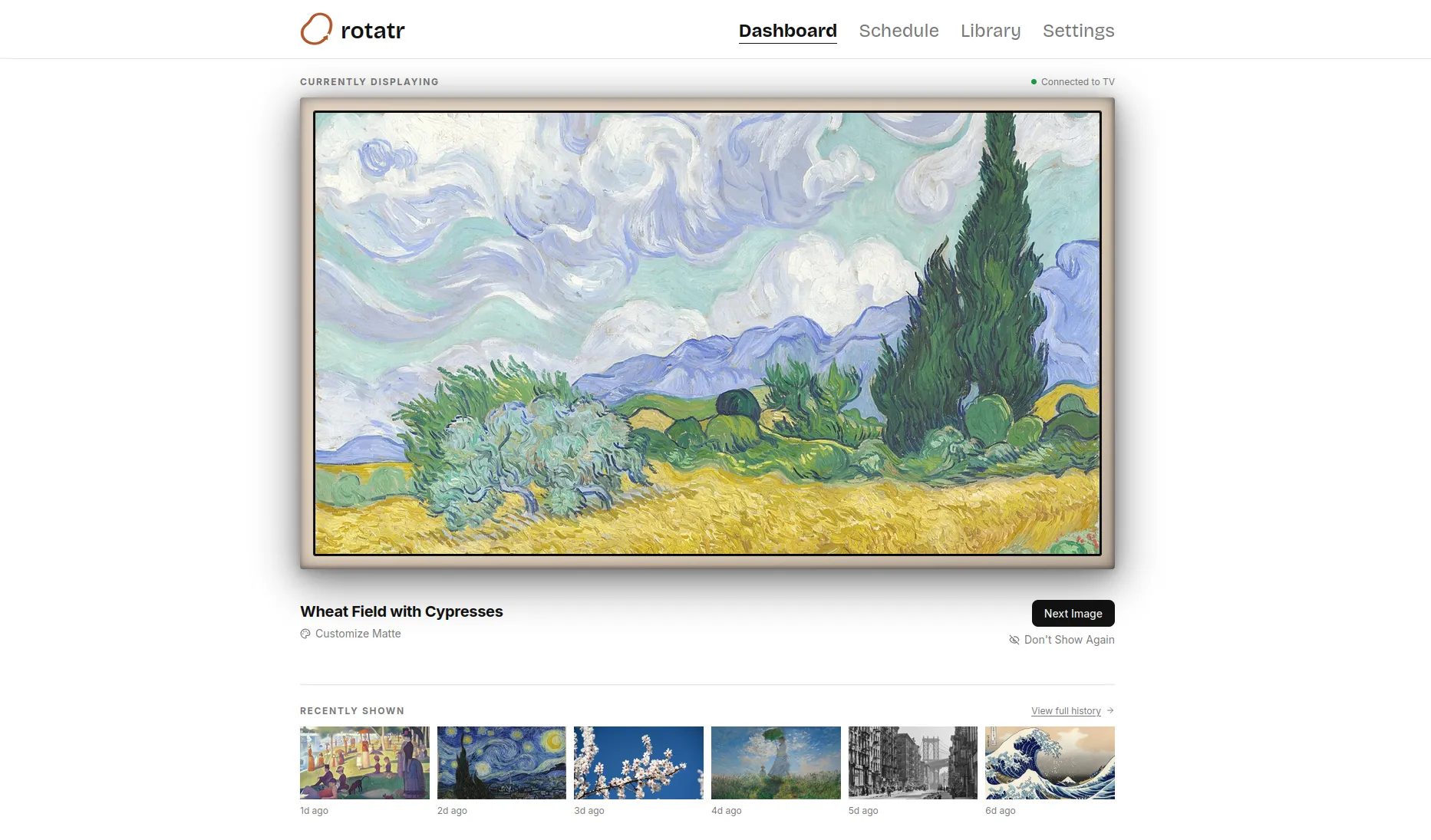
Rotatr is the intelligent curation engine for your Samsung Frame TV, automatically displaying your personal gallery based on the moments that matter.
Three commitments the product is built around, and will not quietly walk back.
Your photographs, your children's artwork, prints you actually chose. Not a catalogue you are renting by the month.
Rotatr talks to your TV over your own network. No account, no cloud relay, no photograph leaving the building.
A one-time licence. There is no tier above the one you bought and no renewal notice coming.
Load a collection, describe when it should appear, and leave it alone. The engine does the rest on its own.
Placeholder — someone dragging a batch of photos into the Rotatr library on a laptop
Securely connect your photo libraries or upload curated collections directly to your private Rotatr vault.
Placeholder — a wall calendar or planner beside the TV, suggesting dates driving the art
Define rules based on seasons, holidays, or personal events. The engine organizes your timeline automatically.
Placeholder — the Frame TV in Art Mode at golden hour, art filling the frame
Your Samsung Frame TV updates on schedule, ensuring your space always reflects the current moment.
Every rotation runs the same checklist, top to bottom. The first rule that matches wins — everything after it just waits its turn.
A date you set yourself — a birthday, an anniversary, anything.
34 pre-loaded, formula-based (Easter −7 and the like), plus any you add.
A weighted random pick from that season's pool.
The fallback pool. Always has something to show.
Every rotation checks these top to bottom. The first one active wins — say a holiday is today and no Custom Event is set: Holidays wins, Seasons and All Year wait their turn.
Rotatr runs in a browser on your own network — no account, no companion app, nothing to install on a phone.
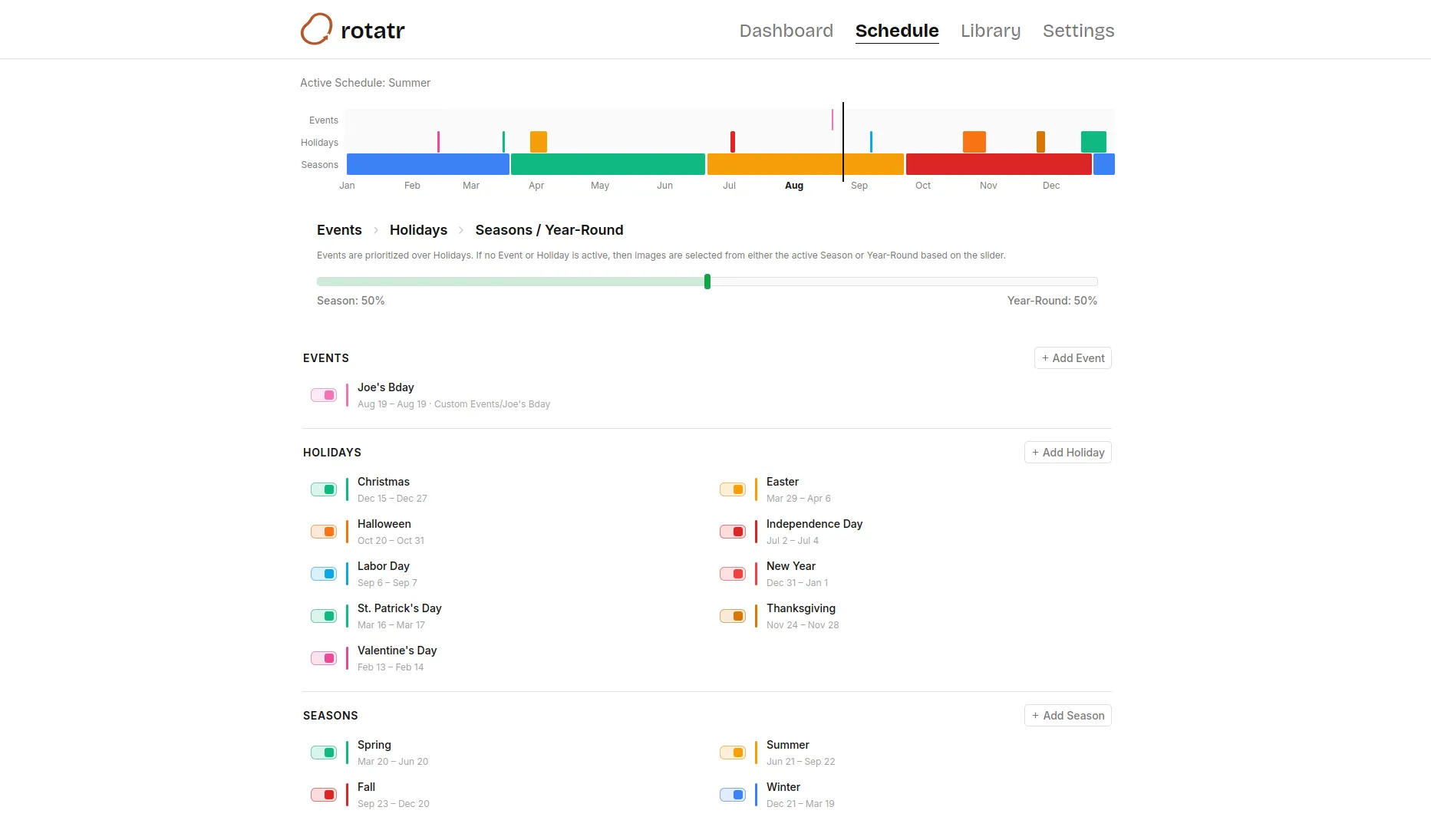
Custom Events are checked first, then Holidays, then Seasons — with All Year as the fallback pool whenever nothing else claims the day.
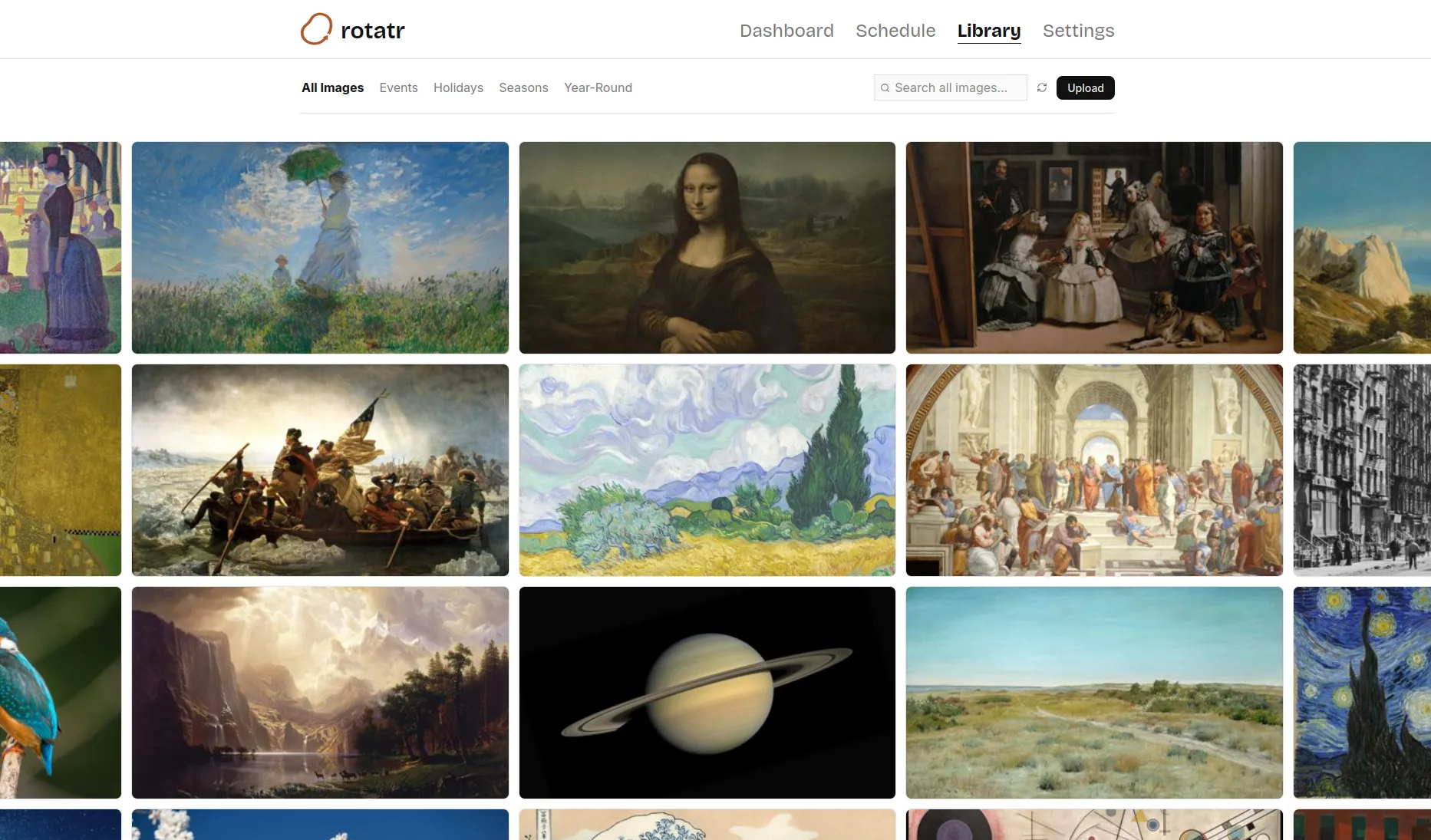
Every image, filed by the rule that will call for it.
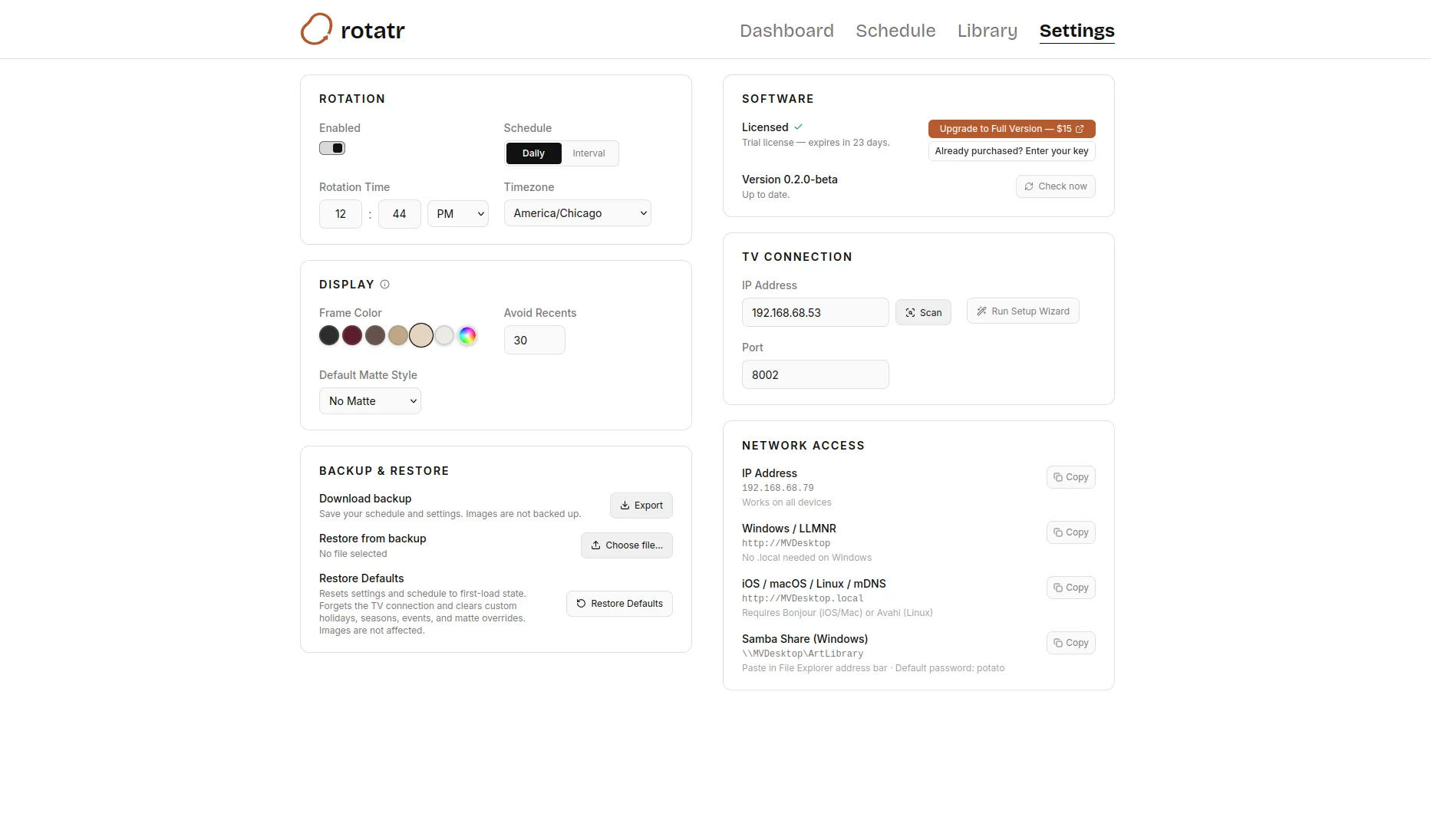
Rotation timing, display, TV pairing, network access.
Hardware, privacy, and what happens after you pay. If something is missing here, write to us.
Judged on the same three things: whether it schedules itself, whether it stays on your network, and whether you pay for it once or forever.
Swapping it yourself
Samsung's Art Store
Rotatr
Swapping it yourself
No. You decide and swap the art yourself, whenever you remember to.
Samsung's Art Store
No. A rotating catalogue of curated art, not a calendar tied to your own dates.
Rotatr
Yes. Custom Events, then Holidays, then Seasons, then an All Year pool, skipping anything shown recently.
Swapping it yourself
Yes. There is nothing networked to begin with.
Samsung's Art Store
No. A Samsung account and an internet-connected subscription.
Rotatr
Yes. Runs on your own Pi and network; only the license check ever touches the internet.
Swapping it yourself
Free, but you are the delivery mechanism, indefinitely.
Samsung's Art Store
No. A subscription keeps the catalogue coming.
Rotatr
Yes. A one-time purchase after a free trial. No renewal notice.
Rotatr is in a soft launch — access is granted by request while the first group of Frame TV owners settles in. Write to us and we will take it from there.